Clock + widgets
Analog + digital clock, live weather with 3-hour forecast in °C or °F, AD/BS calendar with holidays and day details, reminders, quick notes, a daily focus prompt, focus pill and status bar.
 Aura Tab
Get it free
Free Chrome new-tab extension · v1.5.0
The iOS-style 3D glass new tab for Chrome.
Clock, weather, AD/BS calendar, reminders, notes, 150+ apps, 14 themes, toolbox, games and AI - plus adaptive typing, encrypted file transfers and a local-first Cowork Zone, wrapped in liquid glassmorphism.
Chrome Web Store v1.5.0 is public. The v1.5.1 video-playback and responsive-UI repair has been submitted for Google review, with public release after approval. It is not live yet.

A local-first start page with no sign-up. The features below are in the current v1.5.0 release. The v1.5.1 repairs are awaiting review.
Analog + digital clock, live weather with 3-hour forecast in °C or °F, AD/BS calendar with holidays and day details, reminders, quick notes, a daily focus prompt, focus pill and status bar.
Curated shortcuts across AI, Google, Email, Dev, Hack, Microsoft, Design, Social, Music, Video, Shopping, Productivity and News - with folders, drag reorder, search and a macOS-style dock. Give any shortcut its own icon: automatic, letter, symbol, emoji or the site's favicon, in squircle, circle or square tiles.
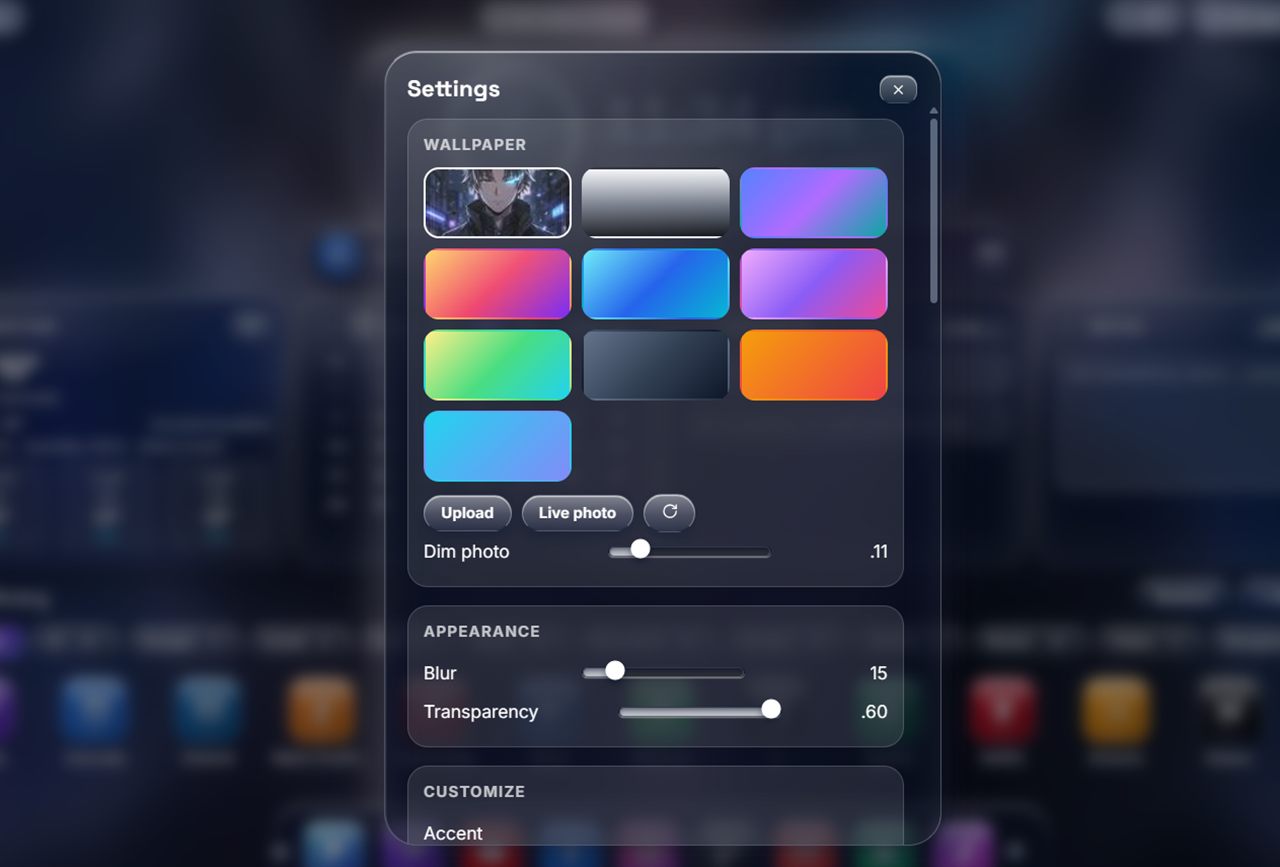
Mono, Glass 3D, Tactile, Liquid, Neu, Chrome, Parallax, Retro, Generative, Game, Aurora, Neon, Sunset and Holo - each in Light, Color and Dark modes, plus animated live wallpapers, glass blur and saturation controls, custom accents and wallpaper uploads.
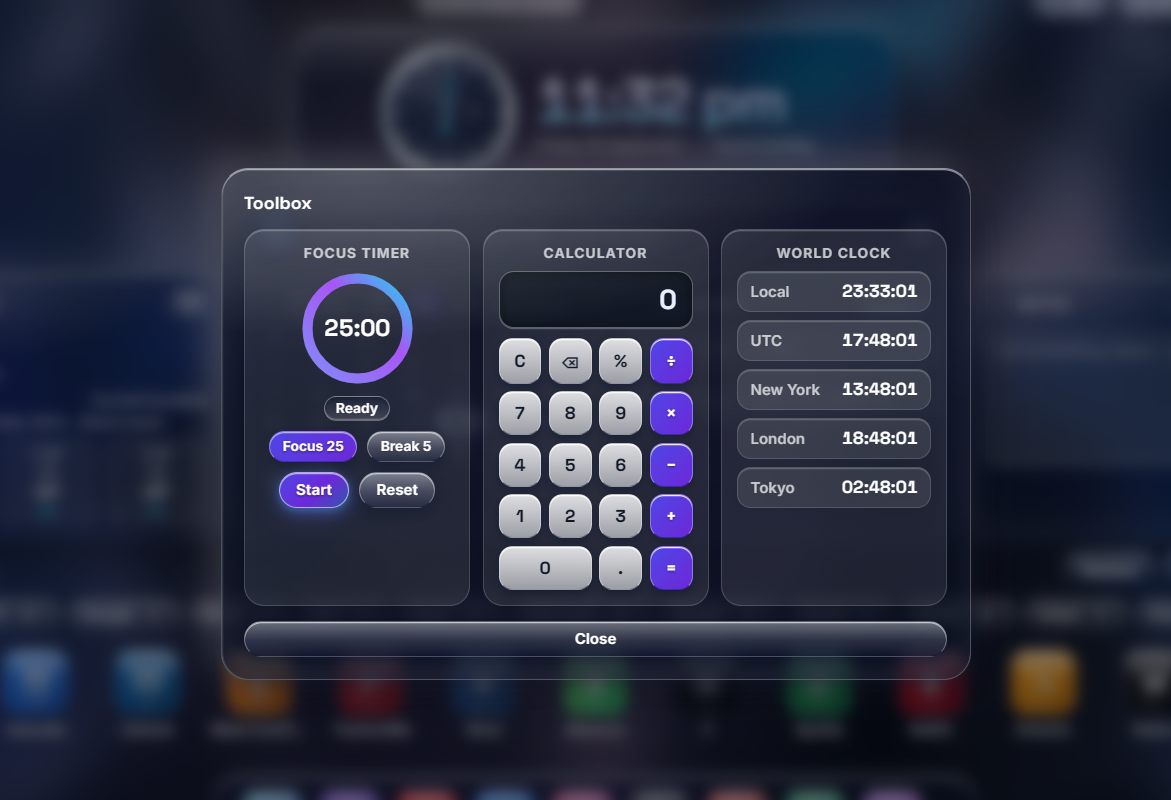
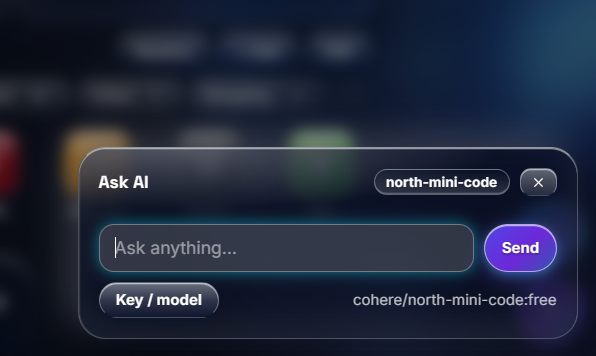
Focus timer, calculator, a world clock with your own cities and a countdown to any date. Ask AI answers questions with your own OpenRouter key (free models, key is stored locally and sent only to OpenRouter).
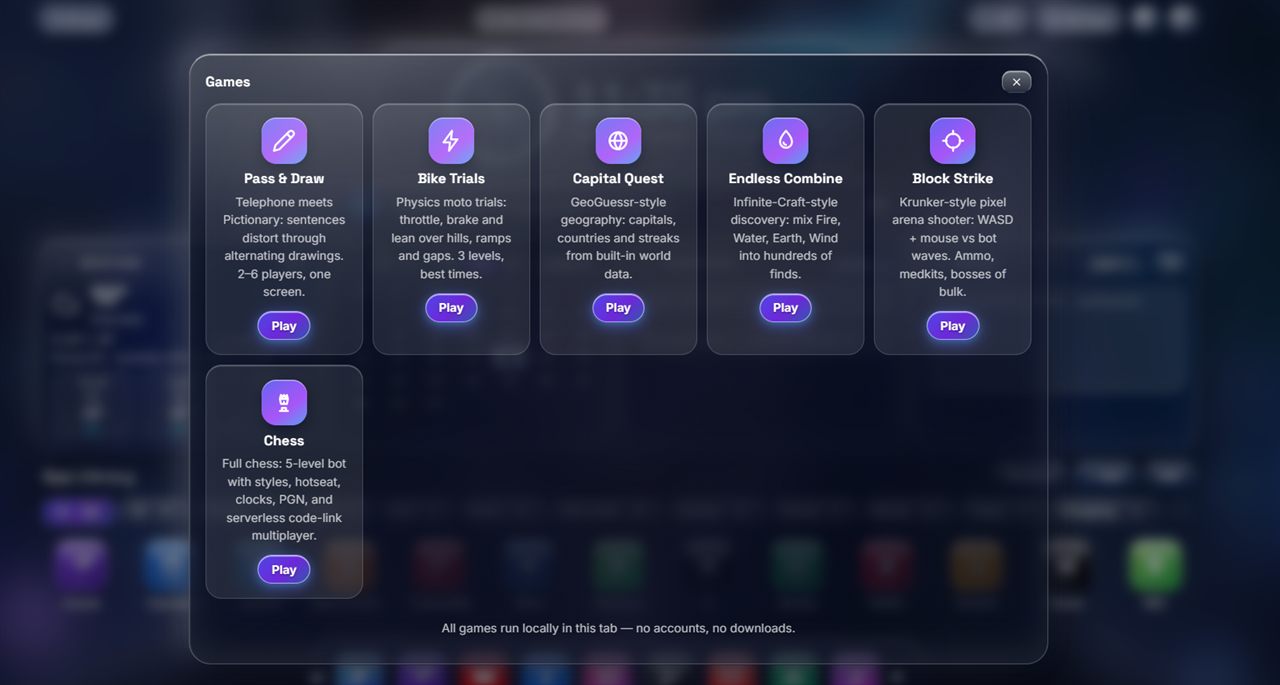
Five offline games plus full chess vs 5-level bot, local 2-player, and online play, chat, file sharing and calls over encrypted WebRTC. Version 1.5.0 uses 8-character invites with host approval and signed device identities. Both people must update and create a fresh invite; first contact is trust-on-first-use, not proof of human identity.
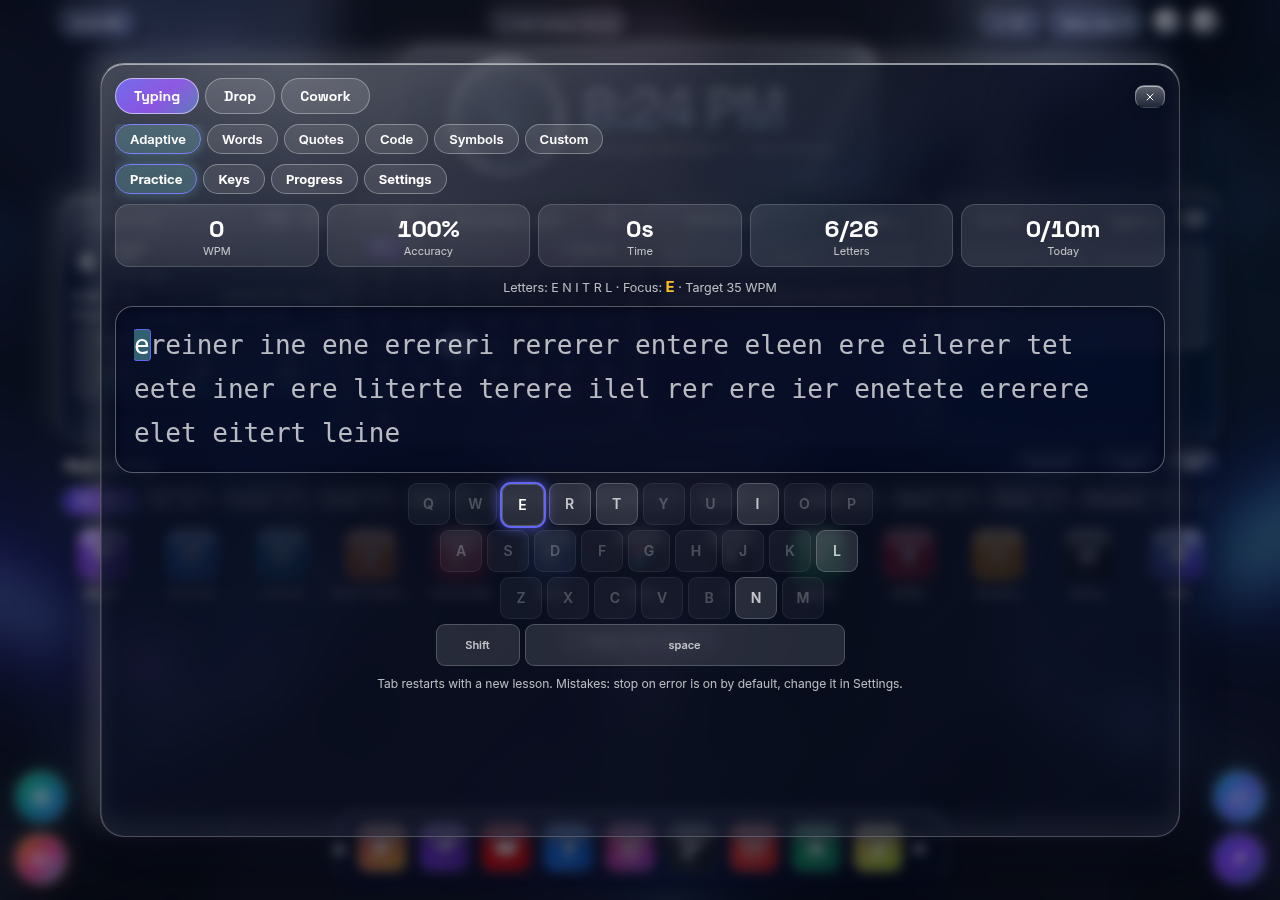
Adaptive lessons focus on weaker keys and unlock more letters. Words, quotes, code, symbols and custom text; timed tests, per-key speed and accuracy, keyboard heatmap, daily goal and local history. Inspired by progressive typing practice, with an original implementation.
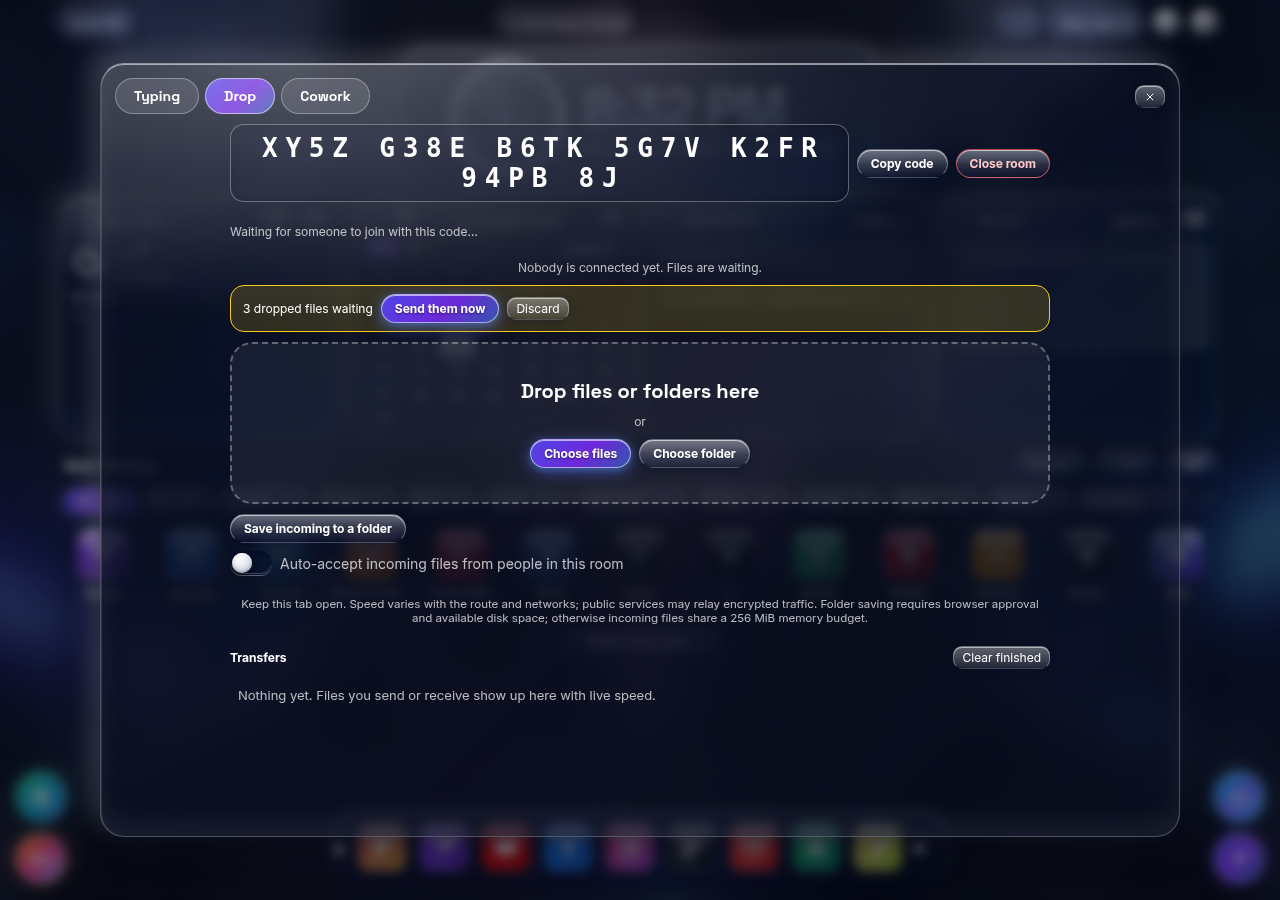
Drag files or folders into an encrypted WebRTC room. Choose recipients, accept or decline files, cancel transfers and see speed, progress and ETA. Desktop Chrome can stream to a selected folder; memory fallback has a shared 256 MiB budget. Both tabs must stay open. Speed depends on devices, networks and whether a relay is needed, not a full-speed guarantee.
Up to eight people share a room with presence, chat, reactions, a task board, concurrent notes, whiteboard, focus timer, links and files. Every device keeps its own copy. There is no central backup or automatic proof of human identity: approve members carefully, compare device fingerprints over a trusted channel, protect the invite and trust every member. Deleting your copy does not delete theirs.
Zones release notes: tested in an unpacked Chrome extension, including public signaling and WebRTC between tabs. Independent cross-network devices and TURN fallback reliability are not yet verified. The disk-stream path was checked with browser filesystem handles, not a manually approved OS folder dialog. Browser permissions and available disk space still apply.
These features are available in the public store version. The v1.5.1 repair update fixes video playback and responsive layout issues, but remains pending Google review:
Click any shot to view it larger.

Install from the Chrome Web Store, or load unpacked: open chrome://extensions, enable Developer mode, choose Load unpacked and select the extension folder.
Weather guesses an approximate city from your time zone. Type your own city for an exact forecast - the extension never asks for your device's location.
Open a new tab, press S for settings: pick a theme, wallpaper and PIN. Everything saves instantly in your browser.
Yes - every feature is free, with no account and no premium tier. Optional AI answers use your own OpenRouter key on free models.
Dashboard and typing data are local by default; some preferences can sync through your Chrome profile. Cowork content is copied to connected room members. Optional features contact third parties, and this website's AI sends questions through its server-side endpoint. See the Privacy policy for each path.
Yes. Clock, reminders, notes, apps, themes, games, chess-vs-bot and Typing work offline. Saved Cowork copies remain on your device. Live collaboration, transfers, weather, live photos and AI need an internet connection.
No. Aura does not run a file-storage server, but public MQTT brokers exchange encrypted signaling. STUN helps find a direct connection and TURN may relay encrypted traffic. Providers and peers can see network metadata. In v1.5.0, an 8-character invite finds the session and seals its initial handshake. Host approval is required; fresh session keys are negotiated using ECDH. Device signatures and remembered fingerprints help recognize a device, not a person. Keep invites private and compare codes or fingerprints over a trusted channel.
Chrome 111 and newer on desktop. Folder-to-disk saving depends on the File System Access API and browser approval. Recent Chrome is recommended for Zones.
Settings → Data → Reset wipes local data and restores defaults. Export a backup first from the same panel.
Found a bug, want a feature, or need help? Write to us - we reply from cwe-ios@jiteshprakash.com.np.
Prefer a project inbox?
Email usauratab@jiteshprakash.com.np · info@jiteshprakash.com.np · info@jiteshprakash.info.np
Updated November 13, 2026. Covers public v1.5.0 and the v1.5.1 repair awaiting review.
| Data | Where | Synced? |
|---|---|---|
| Appearance and layout preferences | chrome.storage.sync | Yes, via your Chrome profile |
| Shortcuts, folders, reminders, notes, wallpapers you upload | chrome.storage.local | No |
| OpenRouter API key and model choice | chrome.storage.local | Never synced |
| Weather forecast cache (30 minutes) | chrome.storage.local | No |
| Typing settings, per-key statistics, daily practice and history | localStorage | No |
| Cowork invites, room list, names, chat, tasks, notes, whiteboard, focus and links | localStorage on each participant device | Shared directly with connected room members |
| File-transfer payloads | Temporary memory or receiver-selected disk destination | Sent to selected peers, not stored by Aura |
| Optional profile (display name, avatar emoji, color) | chrome.storage.local | Never synced; shown to the host when you ask to join a session, and to people in sessions you join |
| Randomly generated device identity key and remembered peers (names, public keys, verification marks) | chrome.storage.local; localStorage fallback in previews | Never synced; the public key/fingerprint is shared during peer handshakes, never the private key |
| Video wallpapers you pick (link or upload) | IndexedDB on this device | No; the video file itself stays on your device |
| Images you compress/convert, links you download | Processed in memory; results save where you choose | Never sent anywhere by Aura |
Dashboard data can be exported/imported/reset through Settings > Data. Typing has its own history/settings controls. Cowork rooms can be removed from this device using Forget on the room list; this does not remove copies on other devices. Uninstalling removes extension-origin local data, but not downloaded files. Cowork invites and local copies are not encrypted at rest by Aura.
example.com, never a full URL, path or query) is requested from
icons.duckduckgo.com, with www.google.com/s2/favicons as a fallback when
DuckDuckGo has no icon. This happens only for shortcuts you explicitly set
to Favicon, only over HTTPS, and only for http/https sites. If both
services fail or the address is not a website, the icon falls back to a
local letter monogram. Nothing is cached on our side; the services may see
the hostname and your IP address when the image loads.Typing input/statistics are processed locally and are not sent by the Typing Zone. Do not paste sensitive text into a shared Cowork note or chat unless all participants may receive it. Incoming text is rendered as text, links are restricted to HTTP/HTTPS, and files require acceptance unless you enable room auto-accept. File names/relative paths are sanitized; files are not automatically opened or executed. Downloaded files can still contain harmful content. Transfer limits and browser restrictions apply; no unlimited-speed or unlimited-size guarantee is made.
Version 1.5 replaces 26-character invites with 8-character invites backed by a new ECDH handshake. Both ends must update and create new invites; there is no insecure legacy fallback. These safeguards reduce unintended broker-subscriber access; they do not provide verified human identity or protection from an invited malicious member - compare the 6-digit verification code shown in Connect/chess to rule out an interloper.
Any change to this policy will ship with an extension update and be noted in the changelog.
Jitesh Prakash Chaudhary - https://auratab.jiteshprakash.com.np
This website is hosted on Vercel. Hosting providers process network metadata needed to serve requests. The website assistant is separate from the extension's Ask AI: its questions and recent conversation turns go to a same-origin server endpoint and, when configured, Gemini, Groq or OpenRouter under their policies. API keys stay in server environment variables, not browser code. If a provider is unavailable or rate-limited, the assistant falls back to local product information. Do not send secrets or sensitive personal data. No analytics or advertising trackers are added by this site. The contact form opens your own email app and does not send automatically.